Choose the workflow that removes the most production friction without creating a heavier process than the team can maintain.
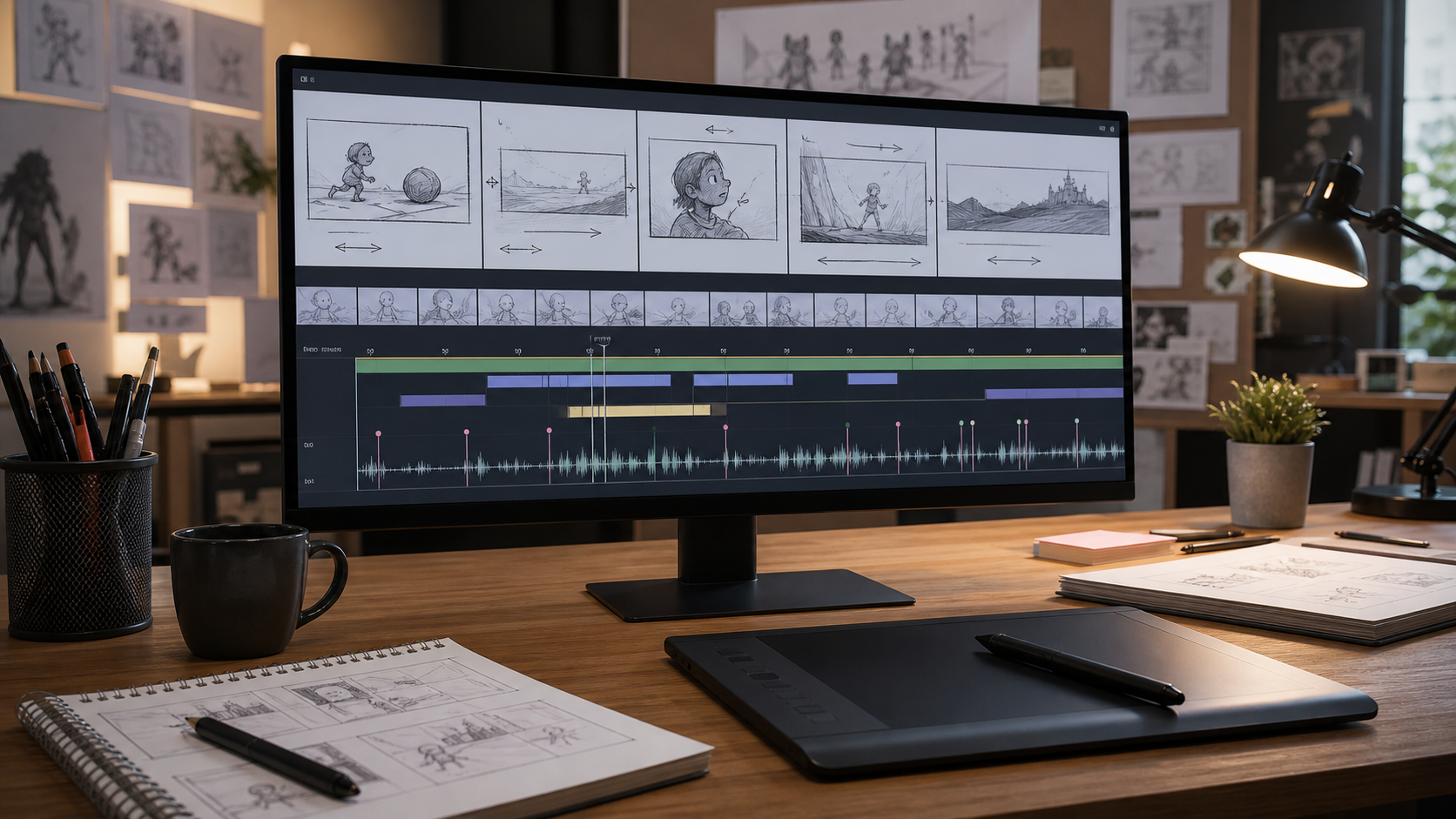
Storyboard Software Comparison for Animatics
Comparison Table
| Tool | Best fit | Animatic strength | Review strength | Watch out for |
|---|---|---|---|---|
| Toon Boom Storyboard Pro | Animation-first studios | Strong drawing, timing, camera moves, and production handoff | Better for internal creative review than broad client sign-off | Heavier commitment for teams that only need quick web approval |
| Boords | Agencies and client-facing teams | Good for web-based animatics and script-to-board flow | Strong sharing, commenting, versions, and sign-off workflow | Less animation-specialist than a dedicated studio suite |
| StudioBinder | Production teams tying boards to scripts and schedules | Useful when boards connect to shot lists and production packets | Helpful for organized production collaboration | Not primarily a deep animation animatic editor |
| Wonder Unit Storyboarder | Solo creators, students, early rough boards | Fast free rough boards and exports | Limited compared with paid collaborative review tools | Not designed for full client approval management |
| Frame.io | Review layer for exported animatics | Useful after the animatic is exported as video | Strong timestamped review and approval workflow | Not a drawing or storyboard creation tool |
Choosing storyboard software for animatics is less about finding the app with the longest feature list and more about choosing where the creative risk lives. If the hard part is drawing expressive boards, staging camera moves, timing scenes, and handing material into an animation pipeline, you need an animation-first storyboarding tool. If the hard part is getting stakeholders to understand, comment, approve, and remember which version they signed off, you need a review-first workflow.
This comparison looks at five official product pages: Toon Boom Storyboard Pro, Boords, StudioBinder Storyboard Creator, Wonder Unit Storyboarder, and Frame.io Review and Approval. Source note: the product descriptions below are based on vendor-published pages and public feature claims, not firsthand testing by Gwanimation. For how we approach editorial boundaries, see our editorial policy and about pages.
Quick Verdict
For professional animation teams, Toon Boom Storyboard Pro is the strongest overall choice. Its official page presents it as a professional-grade storyboarding solution for thumbnailing, refining visual storytelling, pitching boards, timing camera moves, and building animatics through preproduction. That makes it the most direct match for animation studios and serious animatic workflows.
For agencies and brand video teams, Boords is the easier operational pick. Boords is built around creating, sharing, reviewing, approving, and delivering boards. Its official page emphasizes a connected loop from script to storyboard to animatic to share, review, sign-off, and delivery. If the animatic is mainly a tool for client alignment, Boords solves more of the surrounding workflow.
For a free rough-board workflow, Wonder Unit Storyboarder remains notable because it is free and open source, available for Mac, Windows, and Linux, and designed for quickly visualizing a story. It is not as broad as a commercial studio suite, but it can be ideal for early passes.
For production teams already managing scripts, shot lists, call sheets, and schedules, StudioBinder makes sense because storyboards live inside a larger preproduction system. For post-production review of exported animatics, Frame.io is better treated as a review layer rather than the place where boards are created.
What Matters for Animatics
A storyboard app can be pleasant for static panels and still weak for animatics. Animatics need timing, sequence control, audio handling, camera intent, export options, and feedback loops. The best tool depends on which of those pressures is most important.
For animation, the priority is usually visual iteration: rough thumbnails, revised poses, staging, timing, camera moves, and clear handoff to production. That is why an animation workflow often starts with a dedicated storyboarding process rather than a generic design board.
For commercial video, the priority may be agreement. A client, producer, director, and editor all need to see the same sequence, leave comments in context, and approve the right version. In that case, the best storyboard software is the one that keeps the approval record clean.
If your studio is still mapping the broader pipeline, compare this article with our guide to the animation workflow and our broader list of the best animation software.
Toon Boom Storyboard Pro: Best for Animation Studios
Toon Boom Storyboard Pro is the most animation-native product in this comparison. Toon Boom’s official page describes Storyboard Pro as a complete storyboarding solution designed for thumbnailing, refining visual storytelling, pitching, and timing camera moves in an animatic. The page also highlights Storyboard Pro 25 features such as a quick thumbnailing workflow, enhanced effect stack view, non-destructive layer effects, and Photoshop ABR brush import.
That feature mix matters because animatics are not just slide shows. Animation teams often need to rough fast, polish only where needed, adjust timing, preview camera movement, and preserve enough production intent for later departments. Storyboard Pro is built around that preproduction job rather than around generic presentation.
It is also the choice that best fits a long-term 2D animation pipeline. Toon Boom positions its broader ecosystem around preproduction and 2D animation, and Storyboard Pro sits naturally beside Harmony. If your project will move from boards into character animation, effects, cleanup, or compositing, that continuity can reduce translation loss. For more context on that path, see our 2D animation guide.
The tradeoff is complexity. Storyboard Pro is the tool to choose when a team has story artists, directors, animatic editors, or production staff who will use it seriously. It may be more than a small marketing team needs for a quick client storyboard. It is also less naturally client-facing than a browser-first approval platform.
Choose Storyboard Pro if your main question is: “Can we build a convincing animation animatic and carry the creative intent into production?”
Boords: Best for Client-Facing Animatic Reviews

Boords is the clearest fit for agencies, brand teams, and commercial studios that need storyboards to become client-approved animatics. Its official page describes Boords as storyboard software for video agencies and brand teams, with a workflow that connects script, storyboard, animatic, sharing, review, sign-off, and delivery.
That makes Boords strong where many animatic workflows fall apart: feedback. A beautifully timed animatic is still risky if notes are scattered across email, PDFs, chat threads, and old exports. Boords emphasizes frame-level comments, version history, approval status, and link-based sharing. The official page also notes that clients can comment and approve without the same friction as a heavy production tool.
Boords is especially useful when people who are not animators need to understand the sequence. Producers, marketing leads, founders, and clients may not care about brush import or layer effects; they need to know what happens, how long it feels, and whether they have approved the current version. In that context, a web storyboard with built-in review can beat a more powerful desktop app.
The limitation is that Boords is not trying to be a deep drawing and animation pipeline tool. It is better for organizing, presenting, reviewing, and approving boards than for specialist animation craft. A studio might still draw in another tool, then use Boords for the approval loop.
Choose Boords if your main question is: “Can everyone review and approve the animatic without losing track of versions?”
StudioBinder Storyboard Creator: Best Inside a Production System
StudioBinder Storyboard Creator sits in a different category. Its official page emphasizes script import, shot tagging from scripts, shot specs, image editing and arrows, storyboard groups, team collaboration, PDF styling, and online sharing. It also connects storyboards with broader production areas such as shot lists, mood boards, task boards, media library, call sheets, contacts, calendars, and reports.
That makes StudioBinder attractive when storyboarding is one part of a larger live-action, commercial, or content-production system. If your team already needs shot lists, schedules, call sheets, locations, production contacts, and department collaboration, StudioBinder can keep the storyboard attached to the rest of the production plan.
For animatics, StudioBinder is most compelling when the storyboard is tightly tied to a script and shot-planning workflow. The shot tagger and script-first organization are useful for teams that begin with written scenes and need to visualize them. Its share links and comments can support review, while PDF customization is useful for production packets.
The limitation is that StudioBinder is not primarily an animation-specialist animatic editor. It can help plan and present shots, but animation teams that need nuanced drawing, timing, camera staging, and production handoff may still prefer Storyboard Pro. Agencies that only need fast web-based storyboard approval may find Boords more focused.
Choose StudioBinder if your main question is: “Can the storyboard stay connected to the rest of production planning?”
Wonder Unit Storyboarder: Best Free Rough-Board Tool
Wonder Unit Storyboarder is the most accessible option here. Its official page says Storyboarder is free, open source, and available for Mac OS X, Windows, and Linux. It is designed to help users visualize a story quickly, create animatics, and express an idea without making a full movie.
The strongest reason to use Storyboarder is speed. The official page describes a stripped-down workflow with simple drawing tools, one-click board creation, dialogue and action metadata, timing information, shot type, Photoshop round-tripping, printed worksheet import, and export to editing programs, PDF, and animated GIF.
For early animation development, that is useful. A director or writer can rough ideas, check pacing, and discover story problems before investing in polished art. The app is also appealing for students and solo creators because the cost barrier is low.
The tradeoff is that Storyboarder is not a full commercial collaboration platform. It is better for making and exporting rough boards than managing stakeholder approval, versioned client comments, or studio-scale asset flow. It can be a strong first-pass tool, then feed into an editor, Boords, Frame.io, or another review process.
Choose Storyboarder if your main question is: “Can we rough the idea quickly without paying for a full production suite?”
Frame.io: Best Review Layer for Exported Animatics
Frame.io is different from the other products because it is not primarily storyboard-creation software. Its role is review and approval. For animatics, that means Frame.io is most useful after the boards have been exported as video or other reviewable media.
A common workflow is to draw and time the animatic in Storyboard Pro, Storyboarder, Boords, or an editor, then send the exported cut to Frame.io for comments and approvals. This is especially relevant when the animatic has moved closer to edit review, sound timing, client approval, or final preproduction sign-off.
Frame.io makes less sense if you still need to create panels, write action notes, arrange storyboard frames, or build the animatic from scratch. It makes more sense when your team already has a media-review workflow and wants comments tied to the exported sequence.
Choose Frame.io if your main question is: “Can reviewers give clear approval feedback on the animatic cut?”
Best Picks by Team Type
For a studio animation team, pick Toon Boom Storyboard Pro. It is the best match for animation-first boards, animatics, camera moves, and production-oriented visual development.
For a video agency or brand team, pick Boords. It keeps storyboards, animatics, comments, approval, versions, and delivery closer together in one browser workflow.
For a production company already using a centralized preproduction platform, pick StudioBinder. Its value is less about being the deepest animatic tool and more about connecting storyboards to scripts, shot lists, scheduling, and production documents.
For a student, solo creator, or director roughing ideas, pick Wonder Unit Storyboarder. It gives you a fast, free way to board, time, export, and iterate.
For review-heavy post workflows, use Frame.io alongside a creation tool. It is the approval layer, not the drawing layer.
FAQ
What is the best storyboard software for animatics?
For animation-heavy animatics, Toon Boom Storyboard Pro is the strongest fit because it is built around boards, timing, camera moves, and production handoff. For client-facing approvals, Boords may be easier because comments, sharing, versions, and sign-off are closer to the board itself.
Can free storyboard software make a real animatic?
Yes. Wonder Unit Storyboarder can support rough boards and animatic exports for early development. It is best treated as a fast creative tool rather than a complete client approval or studio tracking system.
Should Frame.io replace storyboard software?
No. Frame.io is better as a review layer for exported animatics, edits, and production media. Use it with a creation tool when stakeholders need timestamped comments and approval context.
Final Recommendation
If this is a storyboard software comparison for animatics in the strict animation sense, Toon Boom Storyboard Pro is the strongest recommendation. It is designed around the craft of storyboarding and the practical demands of preproduction. It gives teams the most animation-specific foundation for drawing, timing, pitching, and refining an animatic.
If the animatic is mainly a communication artifact for clients, Boords may be the more practical choice. The review, sign-off, version, and sharing workflow solves the problem that often costs agencies the most time.
A simple rule works well: choose Storyboard Pro when the animatic is a production tool, choose Boords when the animatic is an approval tool, choose Storyboarder when the animatic is an early sketch, choose StudioBinder when it belongs inside a larger production plan, and use Frame.io when the exported animatic needs structured review.